
Description
Description
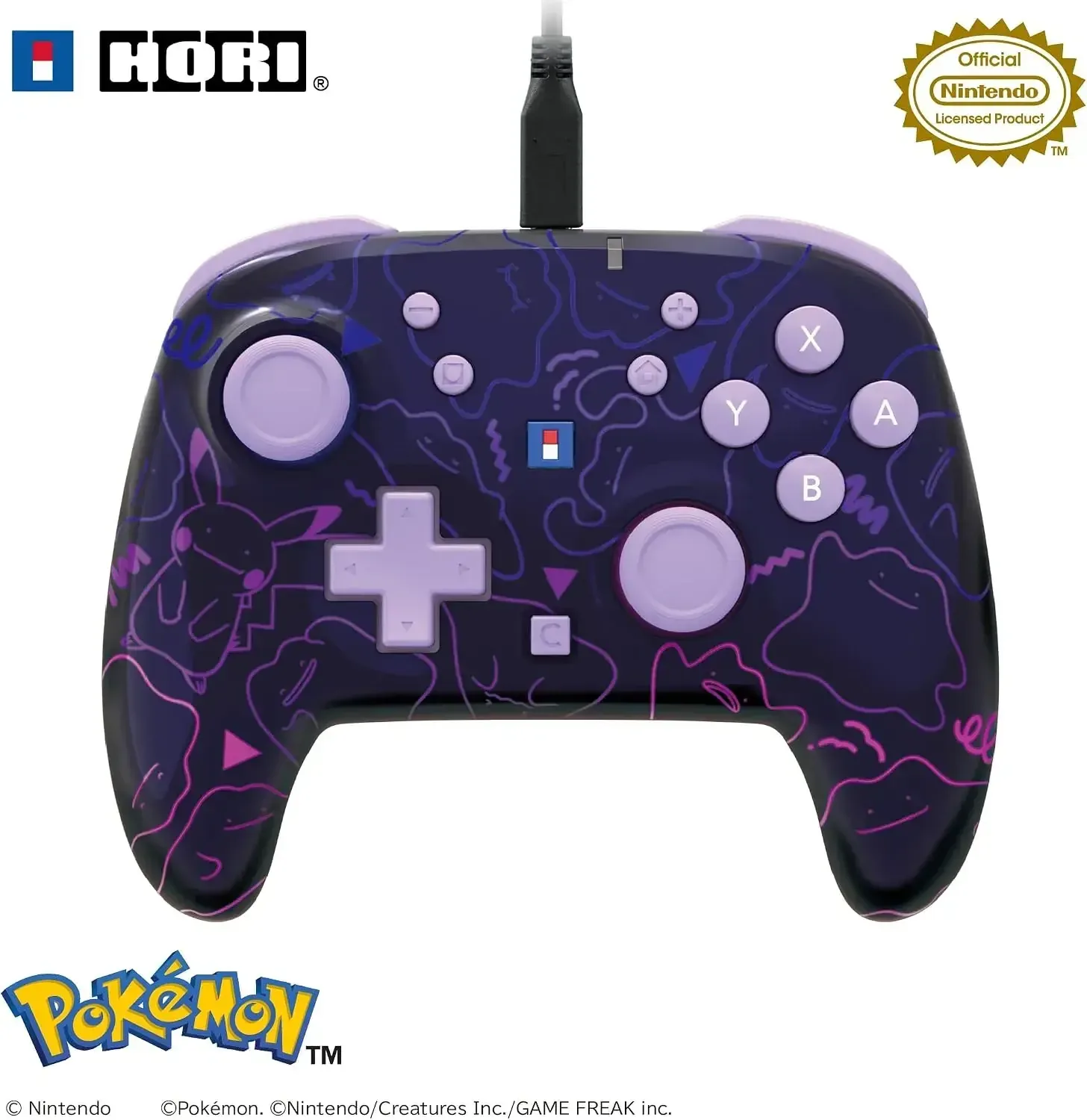
This Hori wired turbo gamepad for Nintendo Switch 2, featuring a charming Metamon design, delivers superior performance for gamers seeking swift responsiveness, enhanced command, and a comfortable hold. It maintains a neat and functional appearance for daily play.
Equipped with practical functionalities such as turbo firing, button remapping, a back button, and a C button for Nintendo Switch 2 Game Chat compatibility, this controller also works with PC in XInput mode, offering versatility for players across various platforms.
Details
• Product Material: Plastic
• Manufacturer: Hori
• Made in: China
Features
Officially authorized gamepad, ensuring compatibility with Nintendo consoles
Crafted for Nintendo Switch 2, Nintendo Switch, and Nintendo Switch OLED Model systems
C button facilitates access to Nintendo Switch 2 Game Chat
Turbo capability offers continuous firing with 3 adjustable speeds: 5, 10, and 20 presses each second
Button reassignment feature enables mapping controls, supporting up to 2 functions per button
Rear button permits personalized mapping for more sophisticated play
Headset and mic port included for headphone usage
Integrated microphone mute feature for connected headphones
Volume control available via the headset port
Button lock mechanism helps avoid unintentional activations of Plus, Minus, Home, and Capture buttons
Mode selection allows PC usage with XInput-supported games
Wired connection via a 3-meter cable provides steady gameplay without needing battery charges
Appropriate for all age groups
How to use
Attach the gamepad to your Nintendo Switch 2, Nintendo Switch, or a compatible PC utilizing the provided USB cord. Employ the mode selector to choose the correct platform, then set up turbo, button reassignment, or back button features as required prior to commencing your game. For Game Chat on Nintendo Switch 2, ensure the console is updated and that you possess the necessary internet connection and a Nintendo account. If employing a headset, insert it into the headphone microphone port and manage mute or volume configurations directly from the controller.
Care instructions
Disconnect the gamepad before cleansing and clean it with a soft, dry fabric. Maintain the cable in a loosely wound state and keep the controller in a cool, dry location, away from direct sunlight, dampness, and severe temperatures. Refrain from employing harsh cleaning agents, abrasive materials, or too much liquid on the buttons, ports, or cable attachments. Avoid sharply tugging the cable or bending it tightly to help preserve its extended performance.